


Chess - Play and Learn Online
4.747.09K Reviews
App Specs
- Version
- Varies with Device
- Updated On
- License
- Free
- Downloads
- 100,000,000+
- Developer
- Chess.com
- Categories
- Board
- Platform
- Android, iOS
Screenshots
 Analysis by AppCompare
I like that Chess - Play and Learn Online gives a new player somewhere to begin beyond simply pressing “play.” Its lessons and puzzles make practice feel purposeful, while games against people or the computer let you try ideas in a real match. I’d recommend it to anyone curious about chess who wants learning and play together, though it suits focused practice better than a completely distraction-free board.
Small goals that make it easier to begin
When I’m returning to chess after a break, a full game can feel like a lot: I have to remember openings, watch for tactics and make decisions under pressure. A short lesson or puzzle is a more manageable first step. It gives me one clear thing to work on, then I can decide whether I have time for a longer match. That simple choice helps the app serve both a quick spare moment and a proper practice session.
The early goals are most useful when I keep them modest. I might focus on spotting a fork, revisit a lesson theme, or play one slower game and review the moments I found confusing. Trying to master several openings at once is less helpful; chess improvement comes from noticing patterns repeatedly, not collecting topics. Short, specific practice makes the learning tools easier to use consistently.
How progress feels—and what it cannot promise
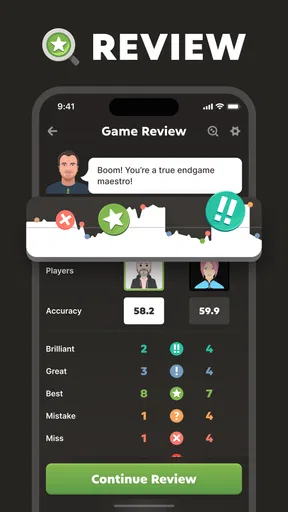
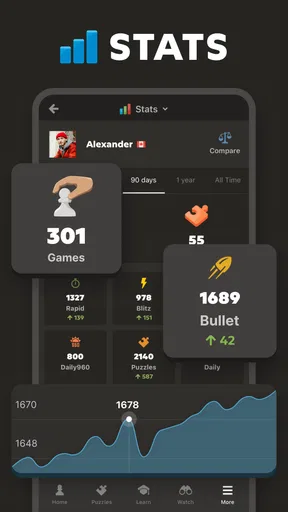
Lessons give structure, and puzzles offer a practical way to test whether I can recognize an idea rather than just read about it. The app’s analysis can help me look back at a game and identify a decision worth thinking about. I find that more useful than judging progress only by wins: a loss can still show that I saw a threat earlier, managed my time better, or understood why a tactic worked.
That said, progress signals need context. Puzzle performance can be affected by concentration, and one good session does not mean a skill has become dependable in a match. I get more from returning to a theme after a few days than from chasing a streak or treating every result as a verdict on my ability. For a beginner, the useful question is not “Am I good yet?” but “Can I explain why that move was better?”
A difficulty curve you can shape
The app can accommodate different experience levels, but the most comfortable route depends on how I use it. A beginner can start with lessons and easier puzzles rather than jumping straight into a fast game against experienced opponents. Someone with more experience may prefer to use puzzles as a quick tactical warm-up, then play a longer match and analyze a critical position afterward.
Fast chess is exciting, but it can hide what I need to learn: when the clock is tight, I may move on instinct before understanding a mistake. If I’m trying to improve, a slower game gives me more room to compare candidate moves and think through consequences. Blitz works better when I want energy and a quick contest, not when I expect every game to teach me a clear lesson.
Worth Reading Before You Choose

Baby Panda World Brings Quick Play to Modern Phones, but Its Game Library Feels Busy

ESPN’s Live Game View Makes Following Close Games Easier

QuizzLand Review: A Good Fit for Short Trivia Breaks, Not Every Player

Basketball Stars: Multiplayer Is Fast, but Can It Recover When Matches Go Wrong?

WEBTOON Turns Phone Updates Into a Better Reading Routine

Link to Windows Runs on Shared Habits, Not Social Feeds
Getting Started with Chess - Play and Learn Online
Upon launching the app, you're greeted with a clean and intuitive interface that makes navigating through its features a breeze. Whether you're a beginner or a grandmaster, Chess - Play and Learn Online caters to all levels of expertise. The app offers lessons and puzzles tailored to help you improve your game, making it not just a playing platform but a learning tool as well.
Features You'll Love
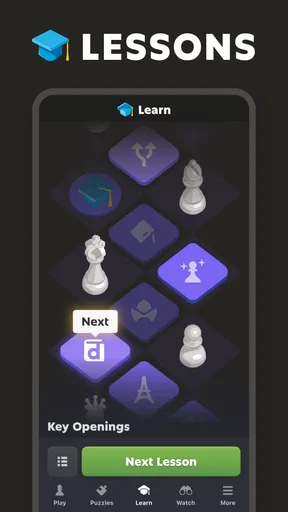
The app is packed with features that make it stand out. First off, the Lessons section is a treasure trove for learners. It breaks down complex strategies into bite-sized tutorials that are easy to follow. You can track your progress and dive into different themes, from openings to endgames.
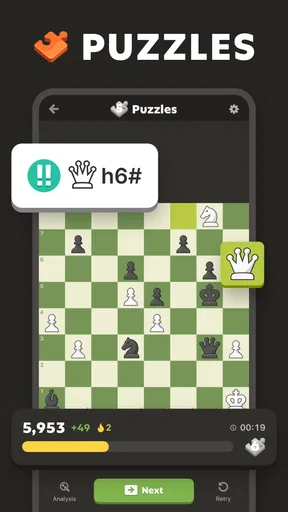
For those who love a challenge, the Puzzles feature is a must-try. It offers thousands of puzzles that test your tactical skills, and the difficulty adjusts based on your performance. It's like having a personal chess coach in your pocket!
Playing Modes and Community
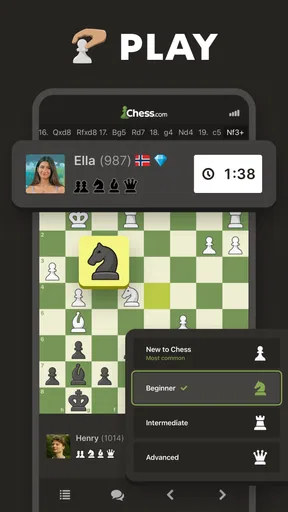
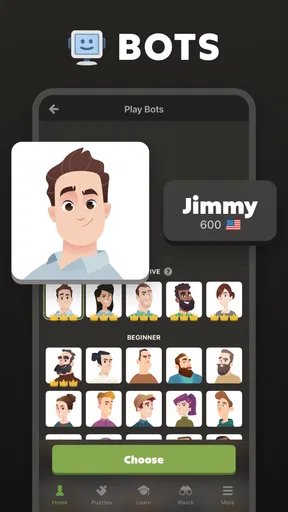
One of the highlights of the app is its variety of playing modes. Whether you want to play a quick blitz game or engage in a thoughtful daily match, there's something for everyone. You can also compete against the computer or challenge players from around the world. The global community is vibrant, and the app makes it easy to connect with other chess enthusiasts.
The social aspect doesn't end there. The app allows you to join clubs, participate in tournaments, and engage in forums. This sense of community adds an extra layer of enjoyment to the chess experience.
Picking a format that fits real life
The choice between a quick game and a daily match is more than a question of pace. I’d use blitz when I have a short break and can give the board my full attention; I’d choose a daily game when interruptions are likely and I want time between moves. A daily format is not automatically easier, since a position can stay on my mind, but it avoids the pressure of making every decision against a rapidly falling clock.
A realistic routine might be a few puzzles over breakfast, one lesson on a commute if I’m settled and able to concentrate, then a game in the evening. I would not start a timed match just before a meeting or while doing something else: a dropped connection or distracted move can turn a relaxing session into frustration. For a child or a family member learning, it can be useful to sit together and discuss a puzzle rather than treating the app as a substitute for shared teaching.
Where it sits among chess alternatives
Compared with a basic chessboard app, this one is a better fit if I want play, instruction, puzzles and post-game reflection in one place. A physical board is still preferable when I want to study without notifications or screens, and it makes it easier to talk through a position with someone beside me. A dedicated lesson course may offer a more linear curriculum for a learner who wants a tightly planned sequence, while this app’s broader mix is more flexible for switching between practice and games.
That flexibility is also a trade-off. There are many ways to spend time, so I need to choose a goal before opening another mode; otherwise it’s easy to bounce from puzzles to games without reviewing anything. I get the most value by deciding in advance whether today is for learning a concept, testing it, or simply enjoying a match. It is not a magic shortcut to stronger play, and a coach or regular over-the-board opponent may be better for personalized feedback and conversation.
Who will enjoy it, and who may prefer something else
Chess.com’s board game is free to install, with in-app purchases, so I can try the core experience before deciding whether any paid option is worthwhile for me. It is rated for Everyone and has a 4.7 average from around 2.9 million ratings, with over 100 million installs. Those figures suggest a very established audience, but they do not guarantee that every opponent, lesson style or screen will suit a particular player. The developer is Chess.com; the game first appeared on February 1, 2010, and the Android release is currently version 4.9.15-googleplay, for Android 8.0 and up.
I’d point a complete beginner toward it if they’re willing to learn gradually and don’t mind making mistakes in public games. Experienced players can use it for casual matches and tactical practice, though it should not replace deliberate study if they have a specific competitive goal. Someone who dislikes online competition, prefers a quiet offline experience, or wants an instructor to explain every decision may be happier with a physical board, a local club or a more focused course.
Keeping practice rewarding rather than pressured
Chess naturally invites comparison: ratings, wins and puzzle results can make improvement feel measurable, but they can also turn leisure into a test. I try to treat those signals as feedback, not as the reason to keep playing. If a losing streak is making me rush or tilt, switching to a lesson or stopping for the day is a better choice than queueing for another game just to recover a result.
There is no need to unlock a perfect routine before enjoying the app. A useful habit can be as small as reviewing one mistake after a game or solving a puzzle slowly enough to explain the answer. I also avoid opening analysis only to search for a single “bad move”; looking at the position before that move often reveals the missed threat or plan that caused the trouble. This makes analysis a learning step instead of a post-game punishment.
For families and newer players, the social side can make chess feel less solitary, but online interaction is not the same as a carefully matched lesson with a person who knows your level. I’d encourage younger players to use the app with sensible supervision and to focus on the board rather than strangers’ opinions. For adults, clubs and tournaments can add motivation, yet they work best when competition remains enjoyable instead of becoming the only measure of progress.
Practical limits to keep in mind
The app’s range is its main convenience and one of its sources of friction. A player opening it for one quick puzzle may be tempted into a match or community feature, while someone seeking a calm study session may find a phone less focused than a book or board. The experience also depends on having a suitable connection for online play, so I would choose a computer game or offline study when reliable connectivity is uncertain rather than risk a live match.
In-app purchases are another reason to decide what I actually need before spending. I would first use the free experience to see whether the lessons, puzzles and playing options fit my habits, then consider a purchase only if it addresses a specific need. The listed purchase range runs from $1.00 to $119.99 per item, so it is worth checking the current in-app details carefully and not assuming every learning feature requires payment—or that a purchase will improve my chess by itself.
My progression verdict
Overall, Chess - Play and Learn Online is more than just an app; it's a comprehensive chess experience. Whether you're looking to kill time or seriously improve your skills, this app has you covered. Its user-friendly design, combined with a vast array of features and a strong community, makes it a top choice for anyone interested in chess.
So, why wait? Jump into the fascinating world of chess today and see how much you can learn and grow. Happy playing!
Pros
- Wide range of difficulty levels.
- Interactive tutorials for beginners.
- Online multiplayer matches.
- Daily puzzles to improve skills.
- Customizable board themes.
Cons
- Requires internet for full features.
- Ads can be intrusive at times.
- Limited offline play options.
- In-app purchases for extra features.
- Notifications can be overwhelming.
FAQs for Chess - Play and Learn Online
What features does the Chess - Play and Learn Online app offer?
The Chess - Play and Learn Online app provides a comprehensive platform for chess enthusiasts. Users can play against AI or real opponents, take interactive lessons, and access puzzles to improve their skills. The app also offers detailed game analysis to help players understand their strengths and weaknesses.
Is the Chess - Play and Learn Online app suitable for beginners?
Absolutely! The app is designed to cater to all skill levels, including beginners. It offers a variety of tutorials and lessons that start from the basics, making it easy for newcomers to understand the fundamentals of chess and gradually progress to advanced strategies.
How does the app enhance learning and skill improvement?
The app enhances learning through its structured lessons, interactive puzzles, and real-time game analysis. Players can learn from their mistakes with the help of detailed feedback and suggestions. Additionally, users can watch educational videos and take part in a community of players for further learning.
Are there any social features in the Chess - Play and Learn Online app?
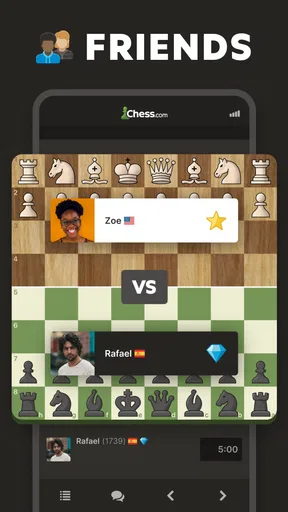
Yes, the app includes robust social features. Users can connect with friends, join clubs, and participate in online tournaments. The community aspect allows players to challenge others and discuss strategies, fostering a deeper engagement with the game.
Is there a cost associated with using the Chess - Play and Learn Online app?
The app is free to download and offers a variety of free features. However, there are premium options available through in-app purchases or subscriptions. These premium features provide access to advanced lessons, unlimited puzzles, and ad-free gameplay, enhancing the overall experience.


